Sync your Spotify playlists to MP3s and your watch.
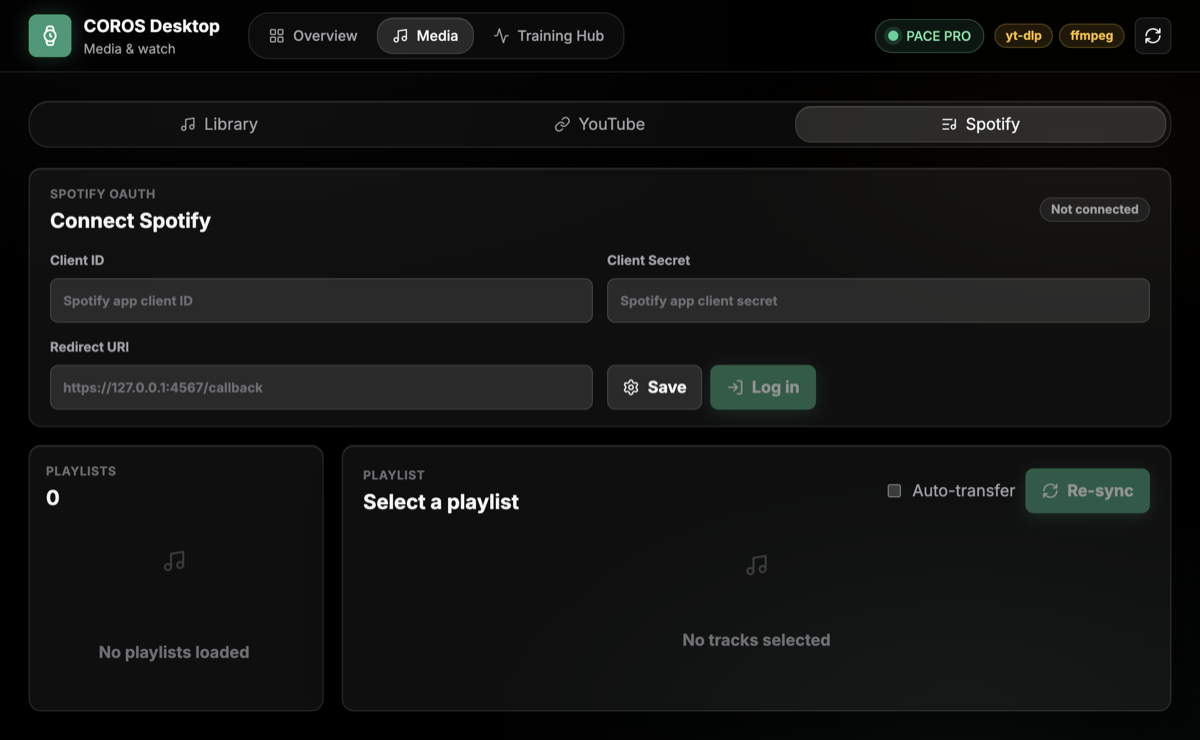
- OAuth login with your own Spotify Developer app credentials
- Browse owned and collaborative playlists with sync status
- Auto-match tracks via YouTube search (
<artist> <track> official audio) - Optional auto-transfer to your watch when connected over USB
Setup
1
Create a Spotify app
Create a free app in the Spotify Developer Dashboard.
2
Add the redirect URI
Add this redirect URI exactly:
https://127.0.0.1:4567/callback
3
Connect in CorosLink
Paste the app's Client ID and Client Secret into the Spotify Sync view. CorosLink opens a local OAuth login window and stores the resulting token locally in SQLite.
Playlist sync reads the authenticated user's playlists and only enables playlists Spotify allows the user to read — currently playlists the user owns or collaborates on. Each track is searched on YouTube, downloaded as an MP3, and saved as Artist - Track Name.mp3 in your Library.
DRM-protected streams:
Spotify streams are DRM-protected, so downloads use YouTube matching rather than the Spotify stream itself.