Browse, cache, and install official COROS map data to your watch over USB.
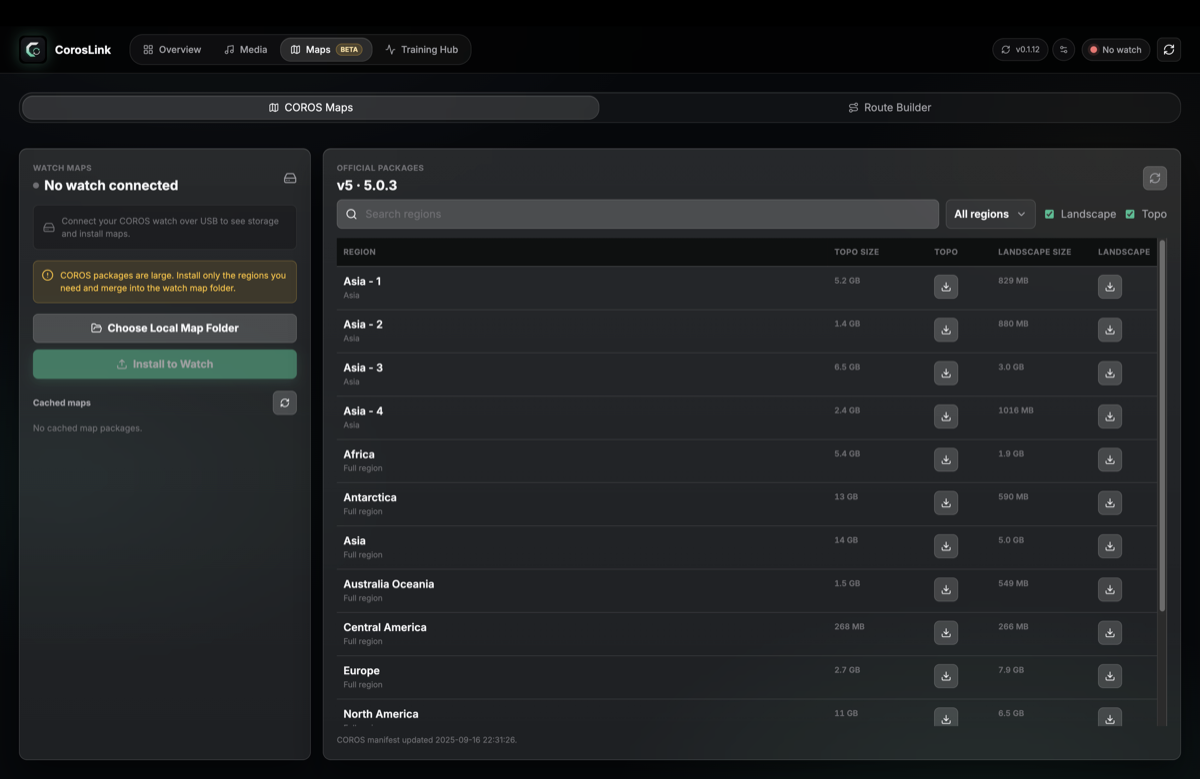
- Browse official map regions (Landscape and Topo) from the COROS v5 manifest
- Search and filter regions; download and cache packages locally
- Watch storage panel — maps vs other usage and free space at a glance
- Install to watch over USB with live copy progress
- Choose a local map folder for cached packages on your computer
Packages download once from COROS map servers to a local cache, then copy to your watch's map folder over USB on each install. See How It Works for the full data flow.